See the entire case study

The product:

Movie Muse is a movie theater located in the heart of the city near several universities. They offer a wide selection of domestic and foreign film screenings. Movie Muse is aimed at its main audience - full-time students, who happily visit this cinema almost every day. Therefore,  Movie Muse provides an opportunity to watch movies cheaply thanks to discount programs and bonuses provided to every visitor.
Full-time students cannot afford to visit the movie theater every time they want to.

The problem:

Project goal:

Design an app for Movie Muse that allows users to earn bonuses and get discounts for watching movie sessions.
UX/UI designer of Movie Muse app from conception to delivery.

My role:

Responsibilities:

Conducting user research, paper and digital wireframing, low and high-fidelity prototyping, conducting usability studies, accounting for accessibility, and iterating on designs.

Research & Define

Summary

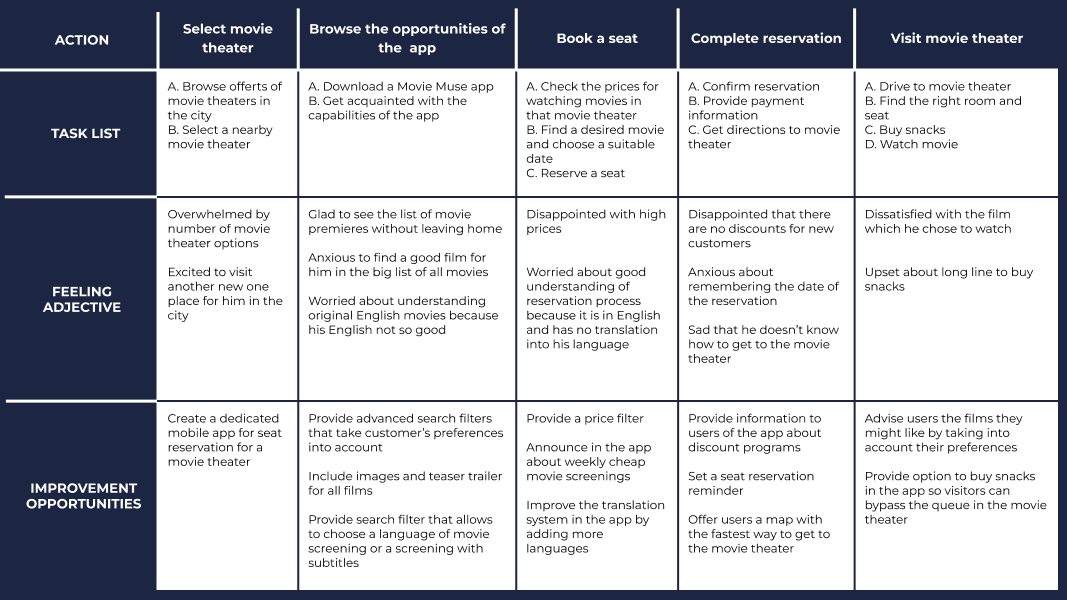
I conducted interviews and created empathy maps to understand the users I’m designing for and their needs. A primary user group identified through research was young people who have enough time for visiting cinema theater but have a limited budget. This user group confirmed initial assumptions about seat reservation app for a movie theater customers, but research also revealed that money was not the only factor limiting users from more often visiting movie theater. Other user problems included language issue, long lines for tickets, or challenges that make it difficult to watch movies in the cinema theater.

Pain points

1. Finances: full-time students don’t have too much money for watching movies in the movie theaters.
2. Language: people who don’t speak English can feel excluded by using an app without translation or no choice of non-English movie (or a movie without subtitles).
3. Time: movie theater customers don’t like to stand in long lines for buying a ticket.

User flow

User task: use the seat reservation app for a movie theater to book a seat.

Competitive audit

I conducted a competitive audit and audit report that helped me understand the products weaknesses and strengths of my direct and indirect competitors, which I took into consideration when designing Movie Muse app.
View the competitive audit and audit report

Design

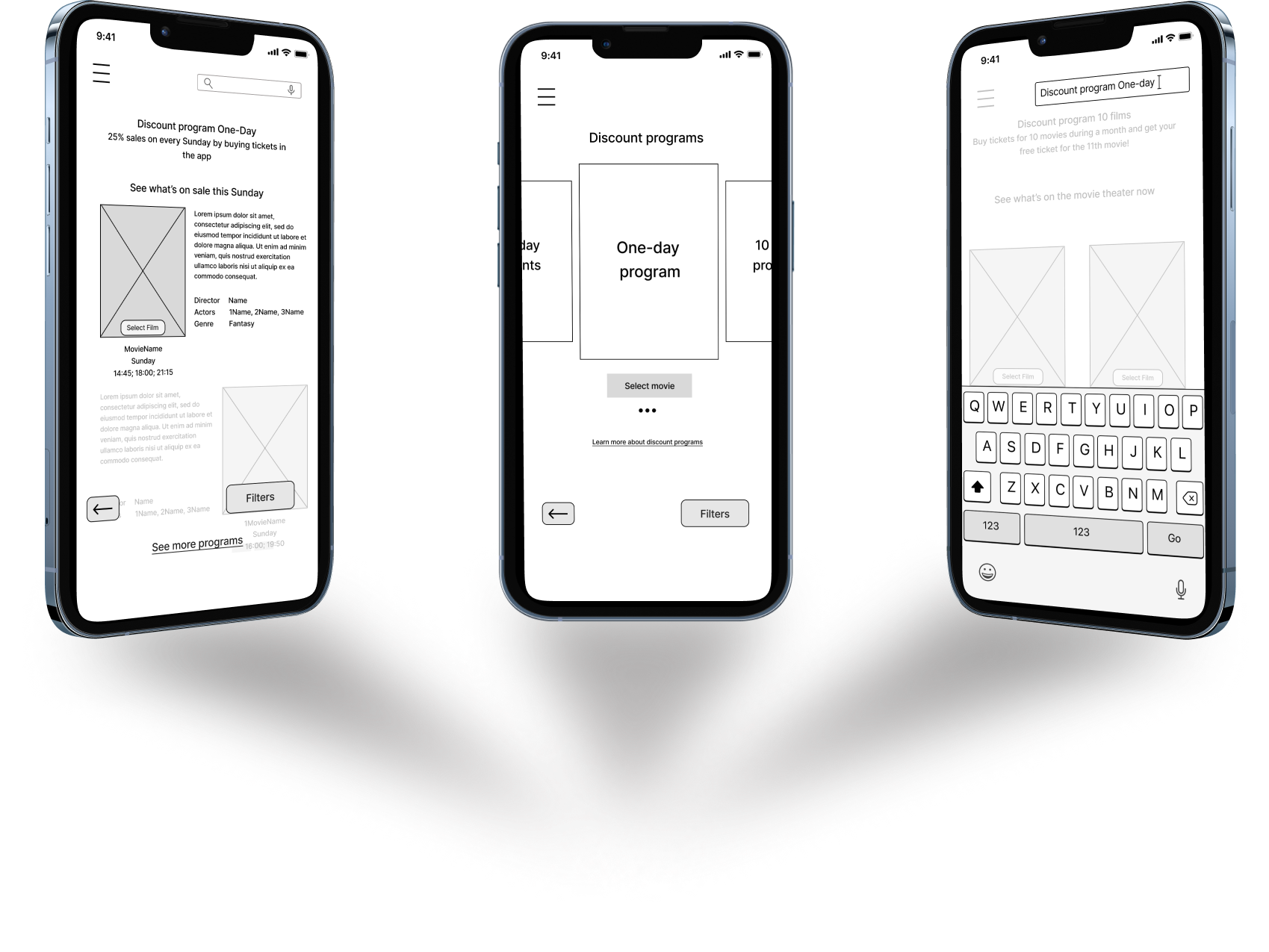
Paper wireframes

I took the time to draft iterations of each screen of the app on paper ensured that the elements that made it to digital wireframes would be well-suited to address user pain points. 

Digital wireframes

As the initial design phase continued, I made sure to base screen designs on feedback and findings from the user research.

Low-fidelity prototype

Using the completed set of digital wireframes, I created a low-fidelity prototype. The primary user flow I connected was booking movie tickets with One-day discount program, so the prototype could be used in a usability study. 
View the Movie Muse low-fidelity prototype 

Usability study: findings

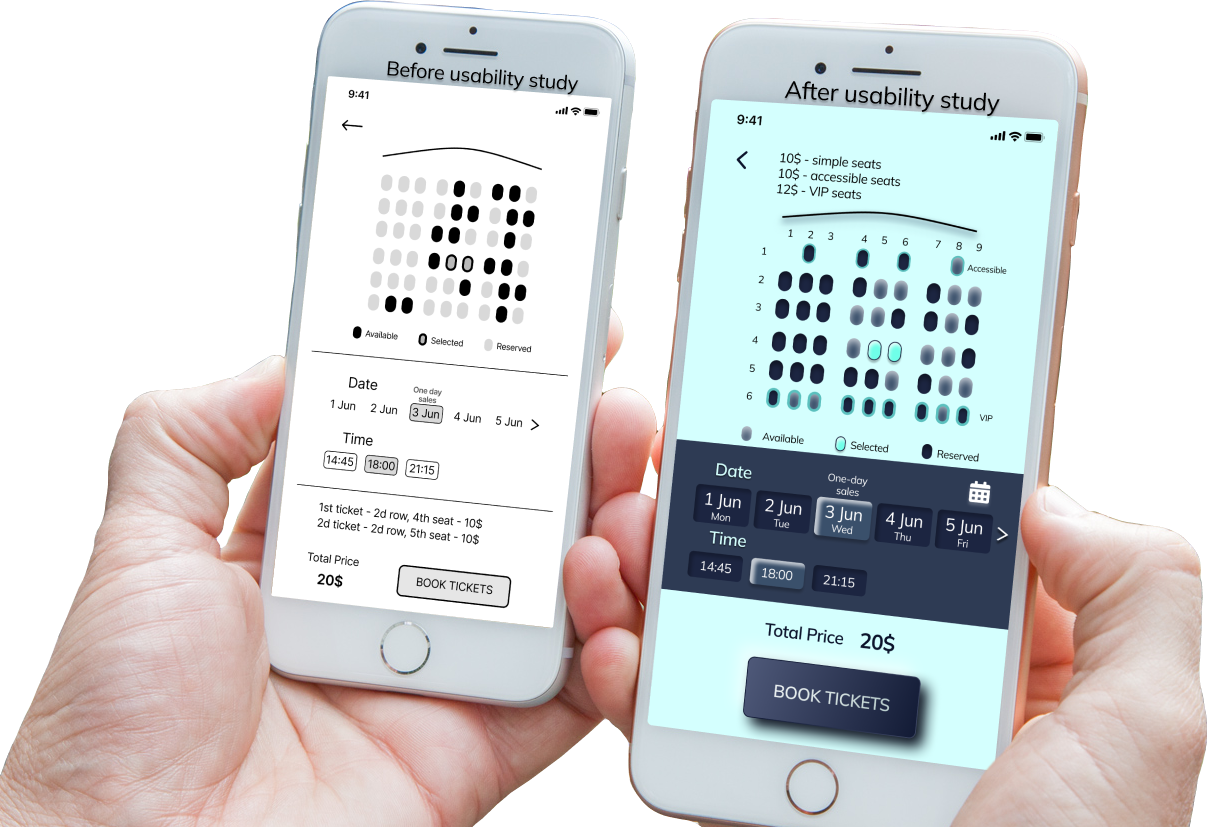
I conducted two rounds of usability studies. Findings from the first study helped guide the designs from wireframes to mockups. The second study used a high-fidelity prototype and revealed what aspects of the mockups needed refining. 
Round 1 findings:
1. Users need discount programs.
2. Users want an obvious way to select a movie.
3. Users want to book tickets easily.
Round 2 findings:
1. Users need accessible seats.
2. Users want to see prices firstly.
3. Users want to switch the languages.

Refining the design

Mockups

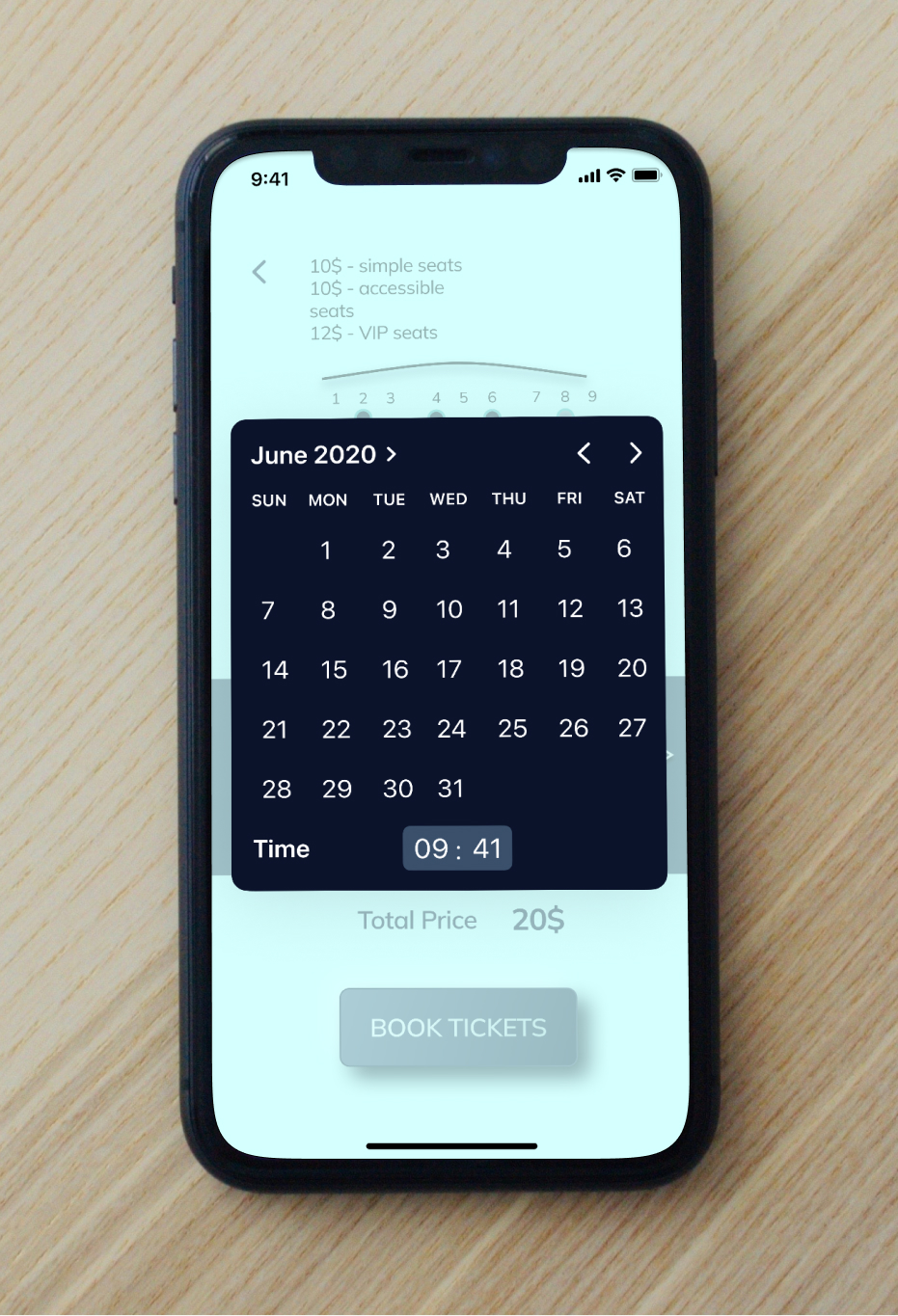
Early designs allowed for some customization, but after the usability studies, I added additional options to the reservation page such as seats and rows numbering, the calendar feature, days of the week, accessible and VIP seats and prices for them. 
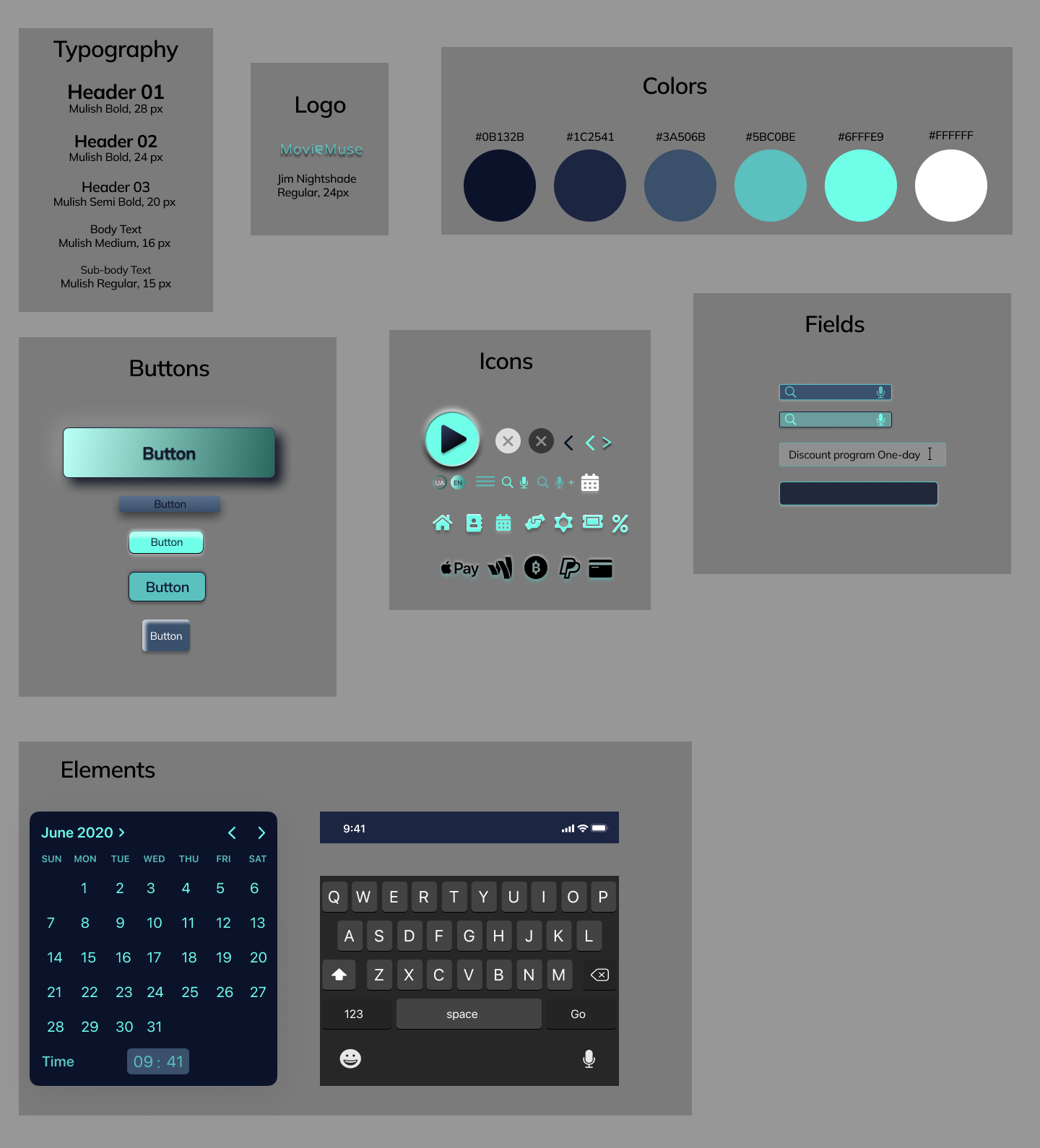
To keep the app consistent across screens, I created a design system and a UI Kit. Also, thanks to the design system, the entire application is built systematically and correctly at all stages of development.

Design changes

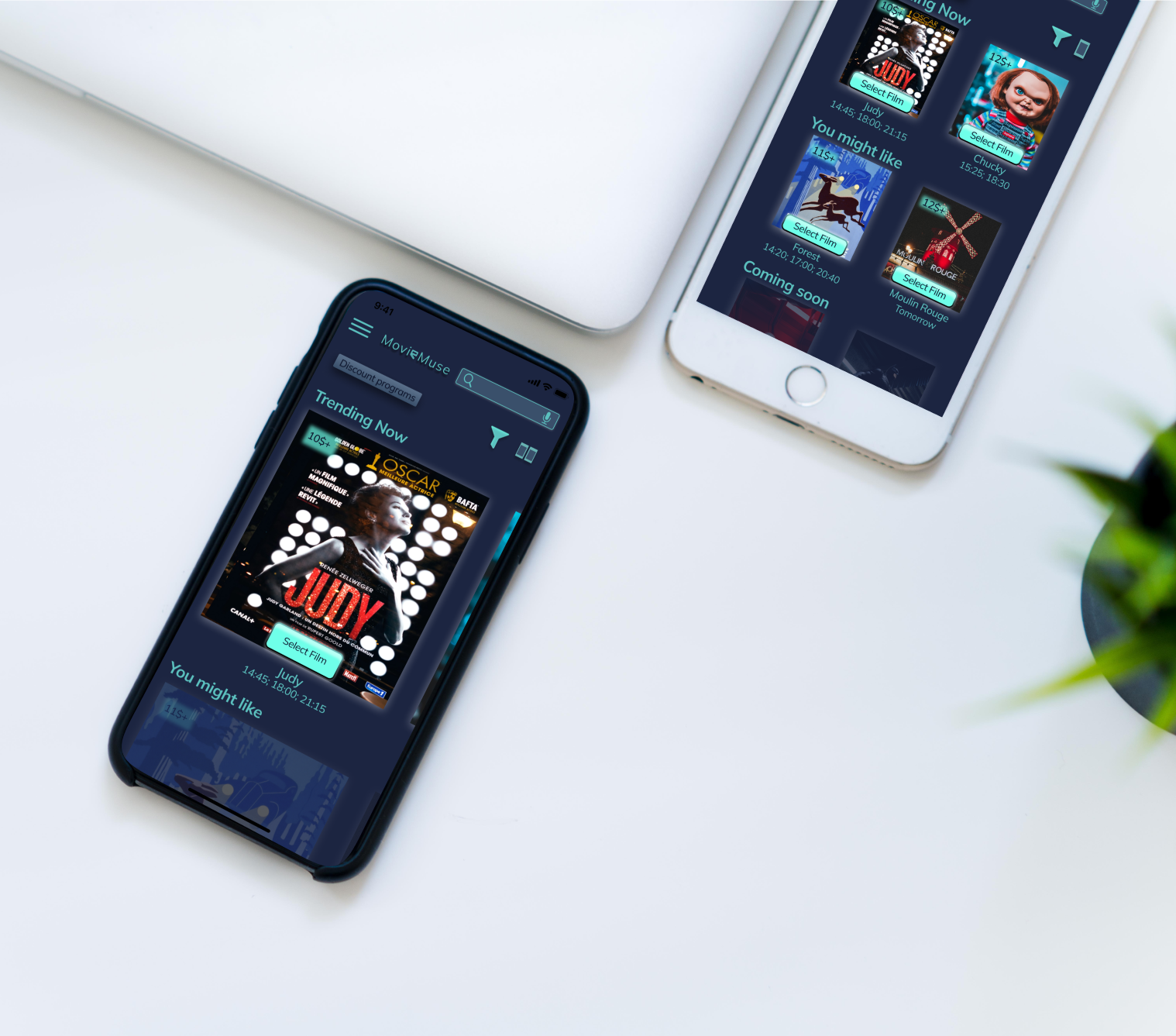
The insights after conducted the second usability study make us to add feature that allows to change the quantity of films from one to two on the movies page what is more accessible for people with visual impairments. Also we added the prices on this page which was revealed as very important for our users and changed the location of filters button for more comfortable filtering.

High-fidelity prototype

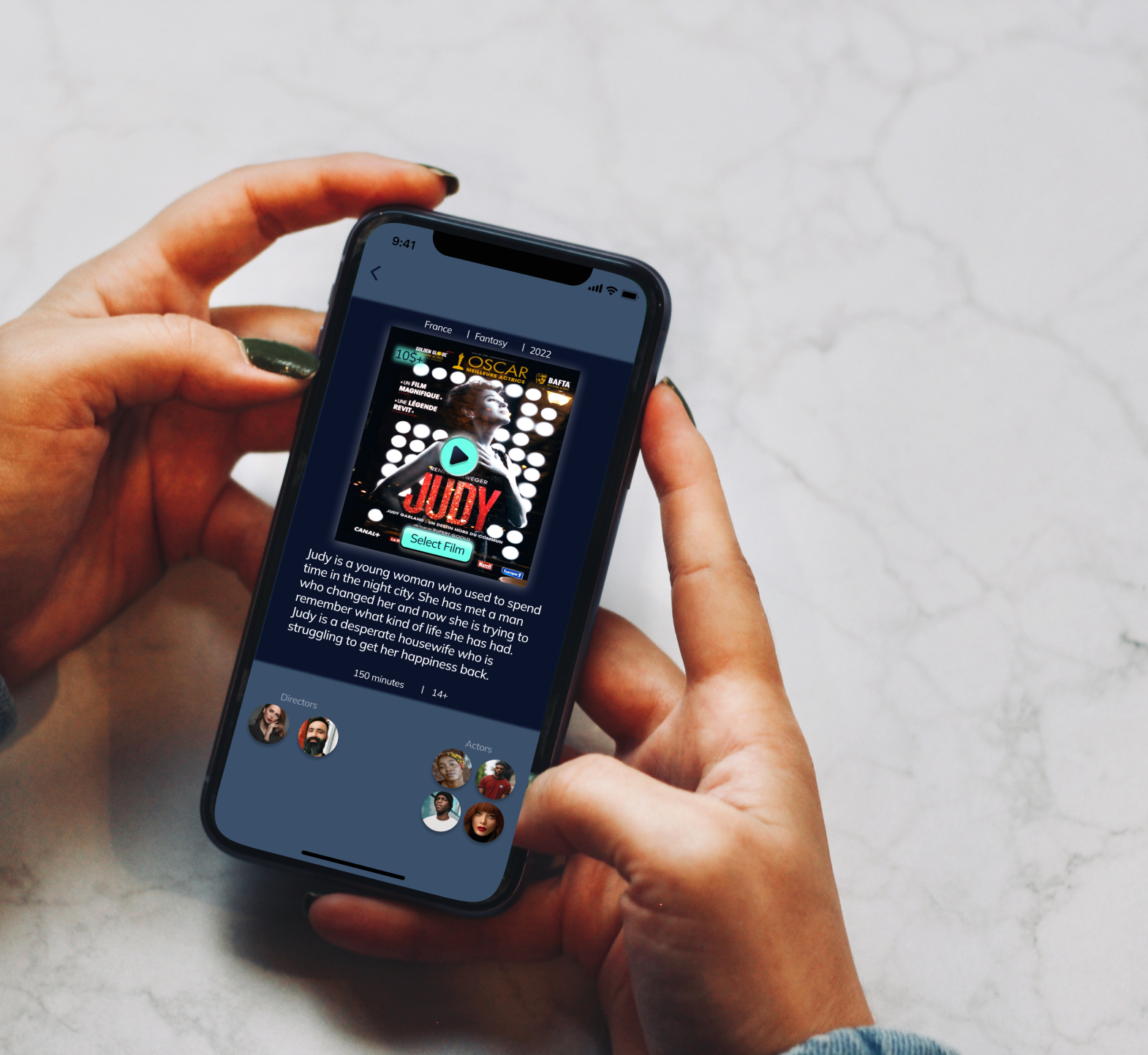
The final high-fidelity prototype presented cleaner user flows for applying the discount programs and buying movie tickets. It also met user needs for a switch the language option as well as more customization. 
View the Movie Muse high-fidelity prototype

Accessibility considerations

1. Provided access to users who are vision impaired through adding screen readers friendly menu options.
2. Provided the microphone option which allows users to search the app by voice.
3. Used icons to help make navigation easier.

Impact:

One quote from peer feedback:
“The app makes users feel like Movie Muse really thinks about how to meet their needs”.
One quote from a usability study participant:
“I'm happy that the developers of the app are concerned about the leisure of people who are temporarily unable to pay a lot for a movie ticket. I would definitely use this app for buying movie tickets!”

What I've learned

While designing the Movie Muse app, I learned that the first ideas for the app are only the beginning of the process. Usability studies, user research and peer feedback have the greatest influence on app design iterations. It was also the first time I conducted a competitive audit, and I now understand how important this step is in designing a user-centered product.